
Skip to product information
1 of 5

Mellanox

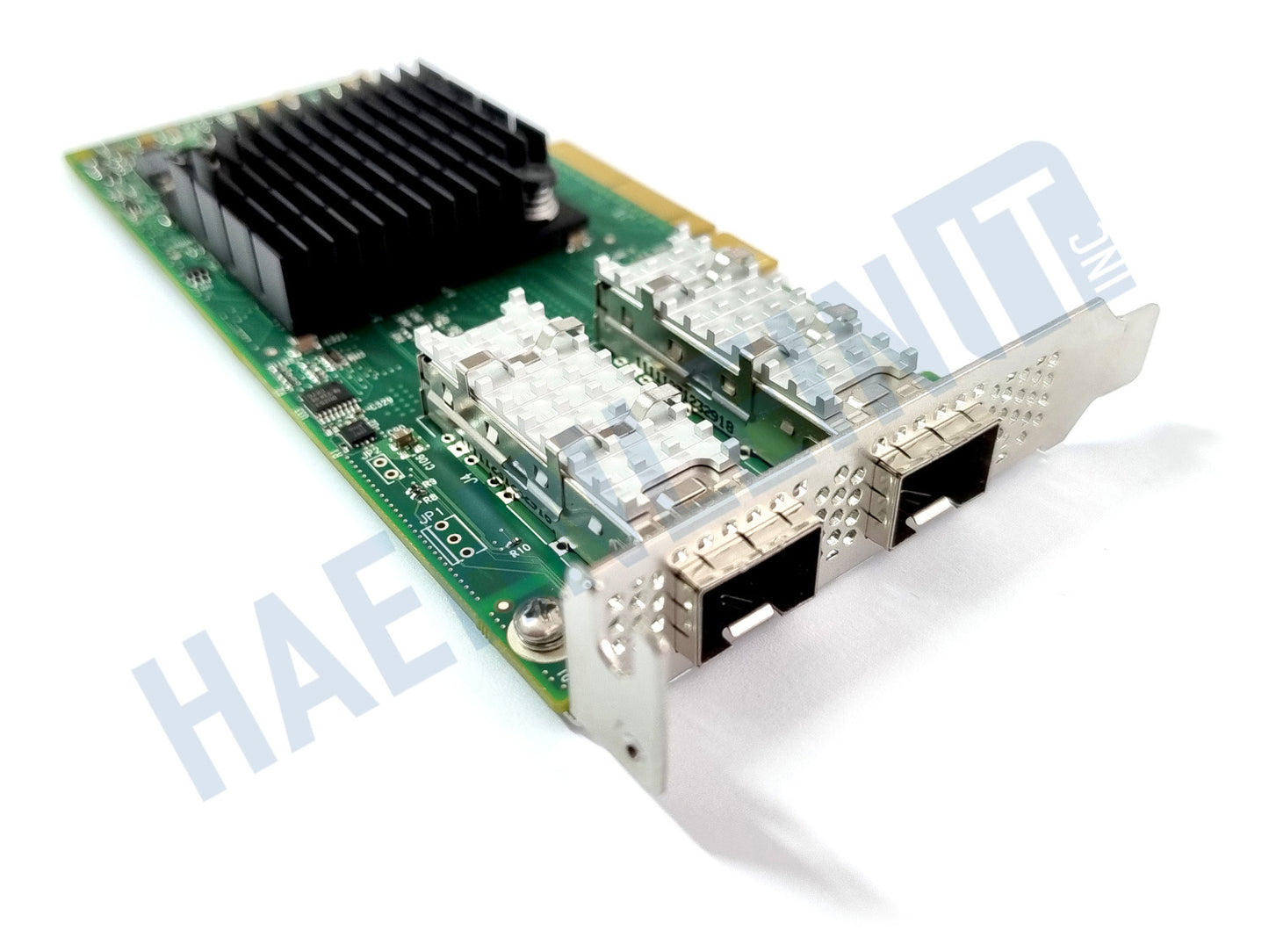
OEM Mellanox ConnectX-4 LX MCX4121A-ACAT PCIe x8 3.0 25GB SFP28 CX4121A CX4121C

OEM Mellanox ConnectX-4 LX MCX4121A-ACAT PCIe x8 3.0 25GB SFP28 CX4121A CX4121C

Regular price $73.90 USD
Regular price Sale price $73.90 USD
Sale Sold out
Shipping calculated at checkout.
Condition
Quantity

The OEM Mellanox MCX4121A-ACAT is a professional 10 / 25Gbps Dual Ports NIC for the PCIe x8 3.0 interface. It allows you to increase your network’s connectivity and adjust the data flow to your needs. Via 2 SFP28 ports the adapter can be connected to your network with either transceiver modules or SFP28 cables. The network interface card is cooled passively. The component is manufactured by Mellanox and labeled by HP, Dell, Lenovo or other OEMs. It’s comparable to the model Mellanox ConnectX-4 CX4121A and CX4121C. Full & low profile brackets are included.

  • Ports: PCIe x8 3.0, 2x SFP28
  • The maximum data transfer rate is 25 GBit per second. (downward compatible to 10Gbps)
  • The NIC is cooled passively.
  • Full & Low Profile brackets
  • The adapter is OEM branded and produced by Mellanox.
  • Alternatively labeled as: 840140-001, HP 640SFP28, CX4121A, CX4121C, MRT0D, ConnectX-4 LX Ethernet 25Gbi

Specifications

MPN: MCX4121A-ACAT
Bus type: PCIe x8 3.0
Interface: SFP28
Number of ports: 2
Max. data transfer rate: 25 Gbps
Protocol: Ethernet
Bracket height: Full + Low Profile
View full details

Collapsible content

Safety Precautions

ATTENTION:

Before changing your system configuration, always back up your data to prevent data loss.

Hardware should only be handled by qualified technicians in an ESD safe environment with ESD safe tools.

Before installing components, always consult the manufacturer’s manual.

CAUTION:

Always turn off the power to your system and remove the AC power cord before installing or removing hardware to avoid experiencing electrical shock or damaging the system.

During operation, heat sinks can heat up significantly. Do not touch them immediately after turning off the power. Leave sufficient time for cooling off before touching them to avoid burns.

Server systems require sufficient ventilation, as provided by a rack case. Insufficient ventilation can cause overheating of components and potentially damage them.

Any questions about this product? We're here to help!